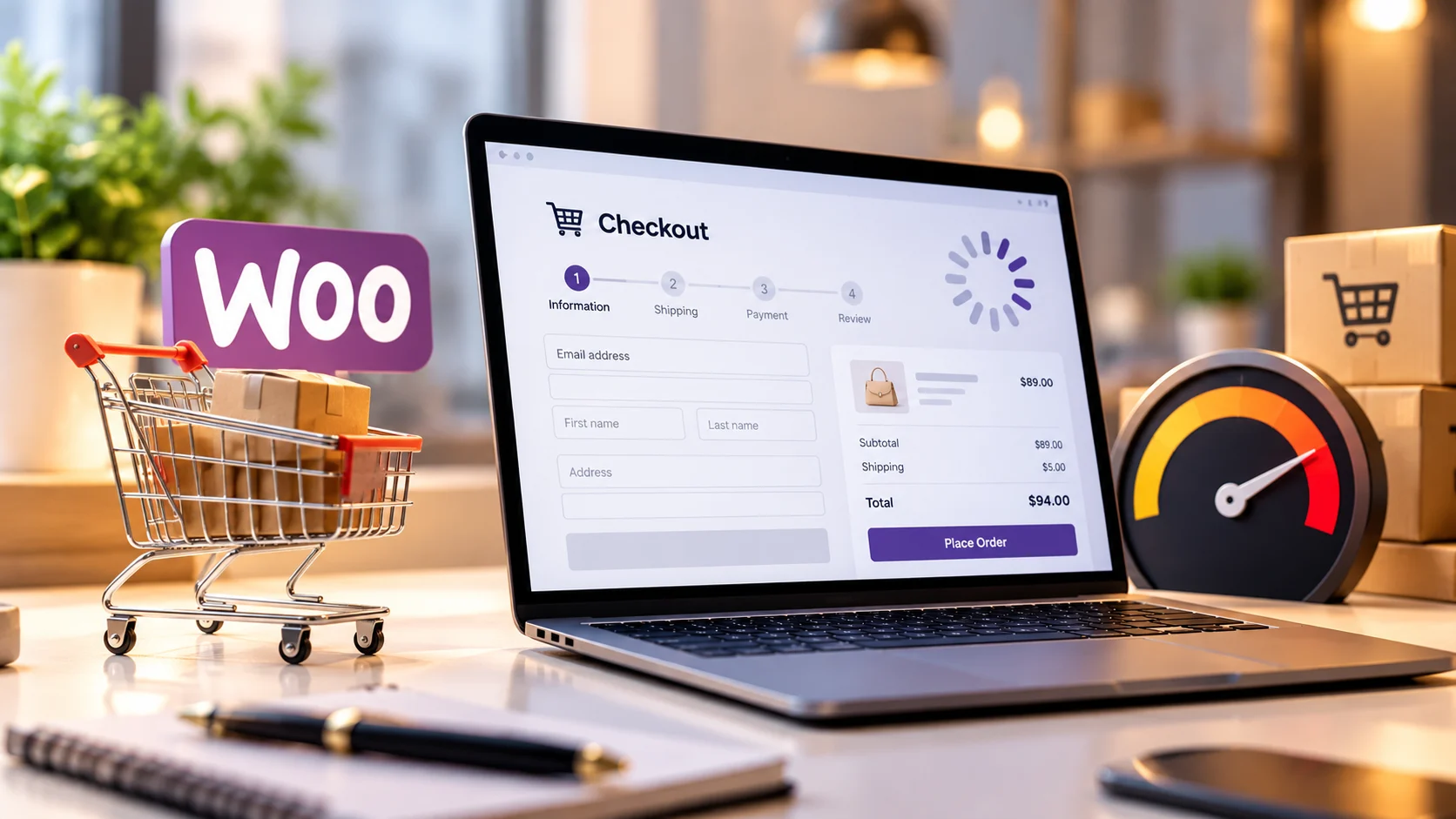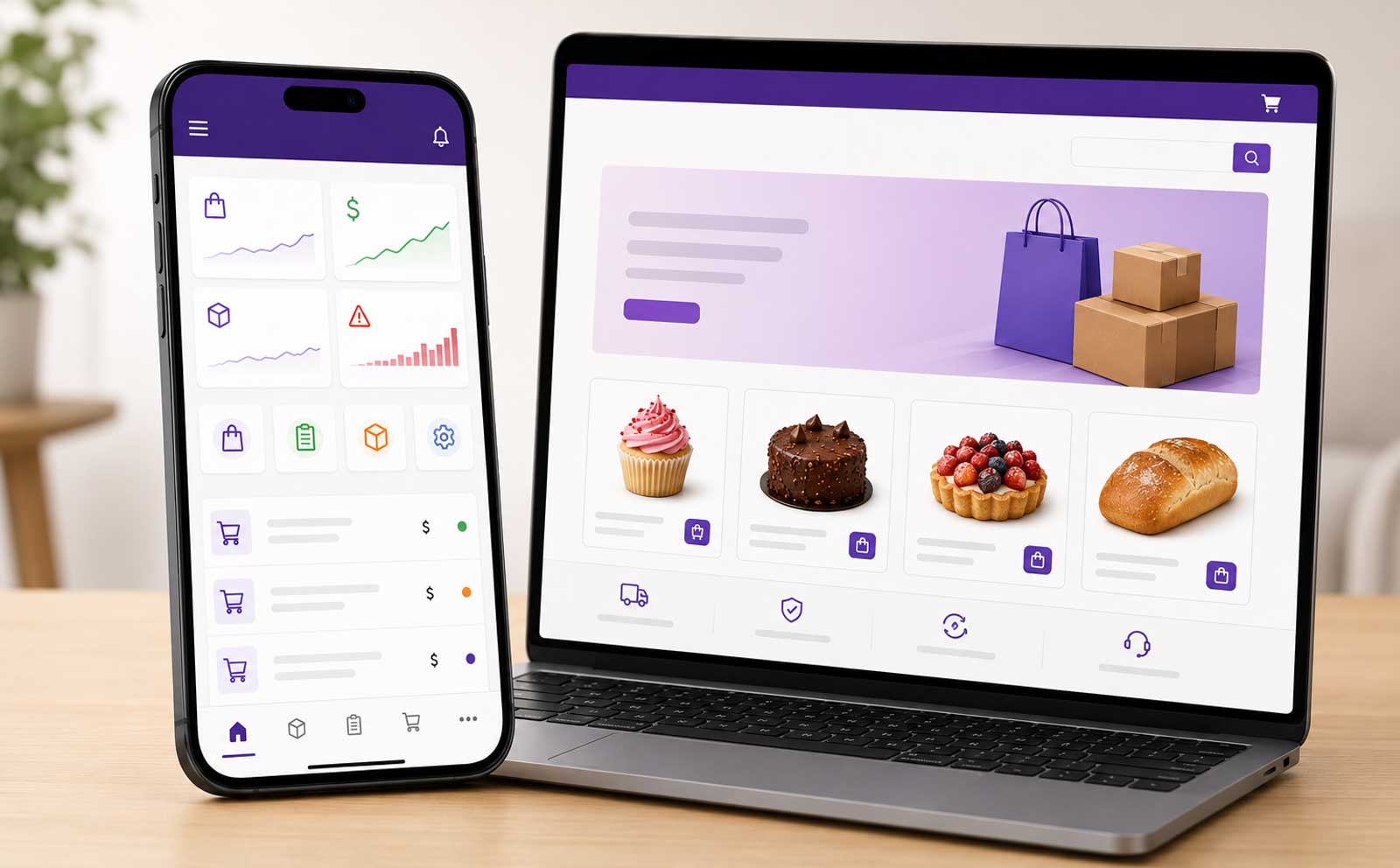
Managing a WooCommerce store should not require opening a laptop every time a product sells out, a price changes, a new image is ready or an order moves to the next fulfilment stage.
For many ecommerce businesses, the WordPress and WooCommerce dashboards are powerful but broader than the daily operational task requires. A store owner may only need to update inventory, change a regular or sale price, replace a product image, review a new order and mark it as packed or dispatched. On a busy shop floor, in a warehouse, at an event or while travelling, completing those actions through a focused mobile interface can be significantly more practical.
A custom WooCommerce mobile app solves this by connecting a business-specific phone application directly to its ecommerce website. The app is not a generic product for thousands of unrelated stores. It is designed for one website, one team and one operational workflow.
| The core idea: give the owner and authorized staff a simple, branded mobile control panel for the WooCommerce actions they perform most often. |
What Is a Custom WooCommerce Mobile App?
A custom WooCommerce mobile app is a purpose-built application that reads and updates selected data in a specific WooCommerce store. Depending on the business requirements, it can provide controlled access to products, inventory, prices, images, variations, orders, customer details and fulfilment statuses.
WooCommerce already offers an official mobile app for general store management. That is a useful option for many merchants. A custom app becomes relevant when a business needs a more focused interface, custom status stages, special permissions, unique product logic, staff-specific screens, delivery integrations, business notifications or workflows that a general-purpose app does not match exactly.
The official WooCommerce mobile app supports product and order management across mobile devices. A custom implementation is not a replacement every store needs; it is an engineering option for businesses whose workflow requires deeper tailoring.
The Business Problem It Solves
Ecommerce administration often becomes inefficient because the person performing a small operational task must navigate an interface designed for complete store administration. That creates unnecessary steps, training requirements and permission risks.
A focused mobile app can reduce that friction in several common situations:
- A bakery needs to mark limited products out of stock during the day.
- A fashion or jewellery store needs to update variation stock and prices while checking physical inventory.
- A wholesaler needs warehouse staff to update quantities without giving them access to website settings.
- A retailer needs to replace a product image immediately after receiving a new photo.
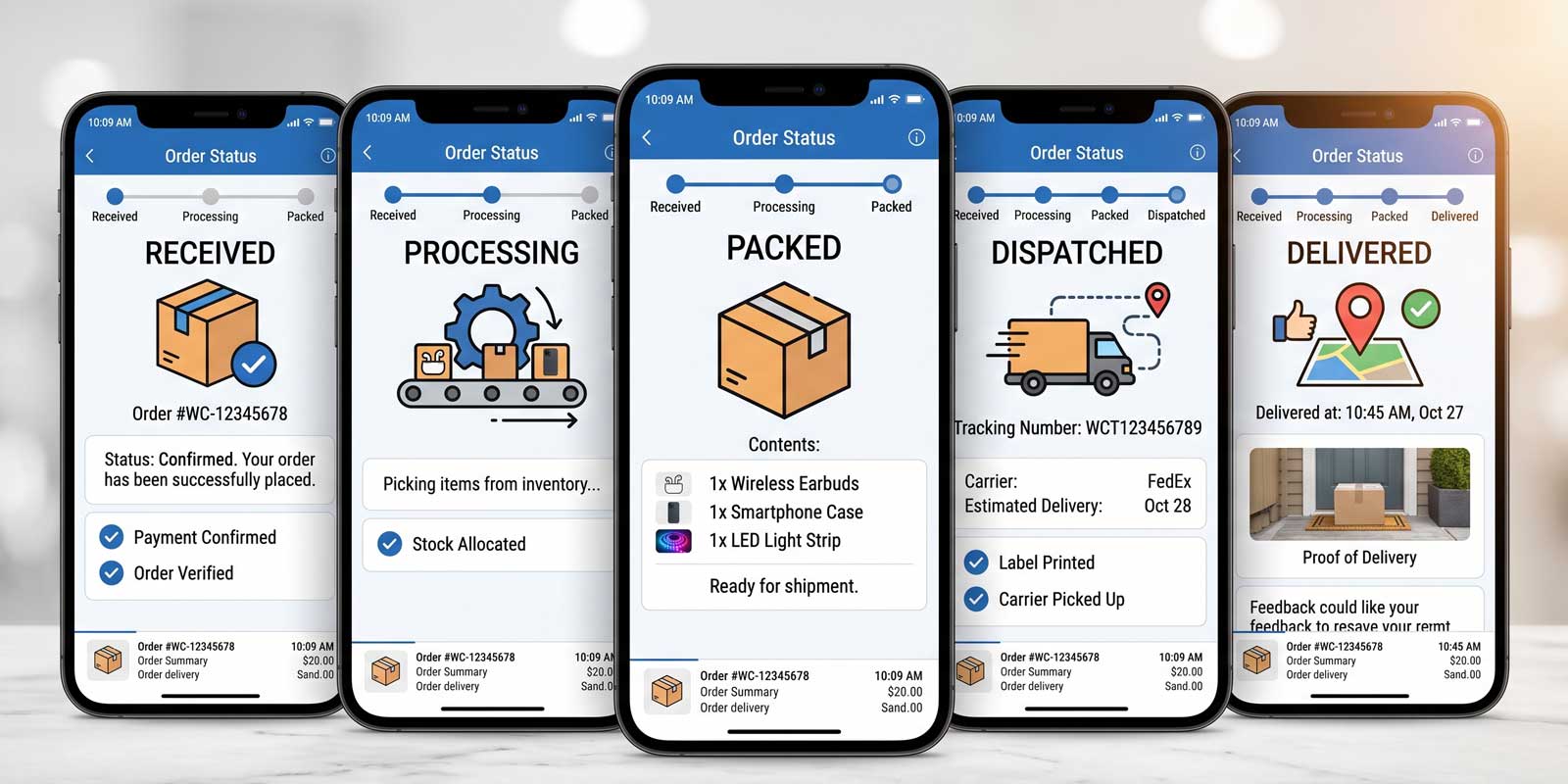
- A fulfilment team needs to move orders through custom stages such as received, preparing, packed, dispatched and delivered.
- An owner needs real-time order notifications and a quick way to review key order information away from a computer.
In each case, the benefit is not simply that the business has an app. The benefit is that the app removes unnecessary operational steps while keeping the website as the central source of ecommerce data.
Core Features a Website-Specific App Can Include
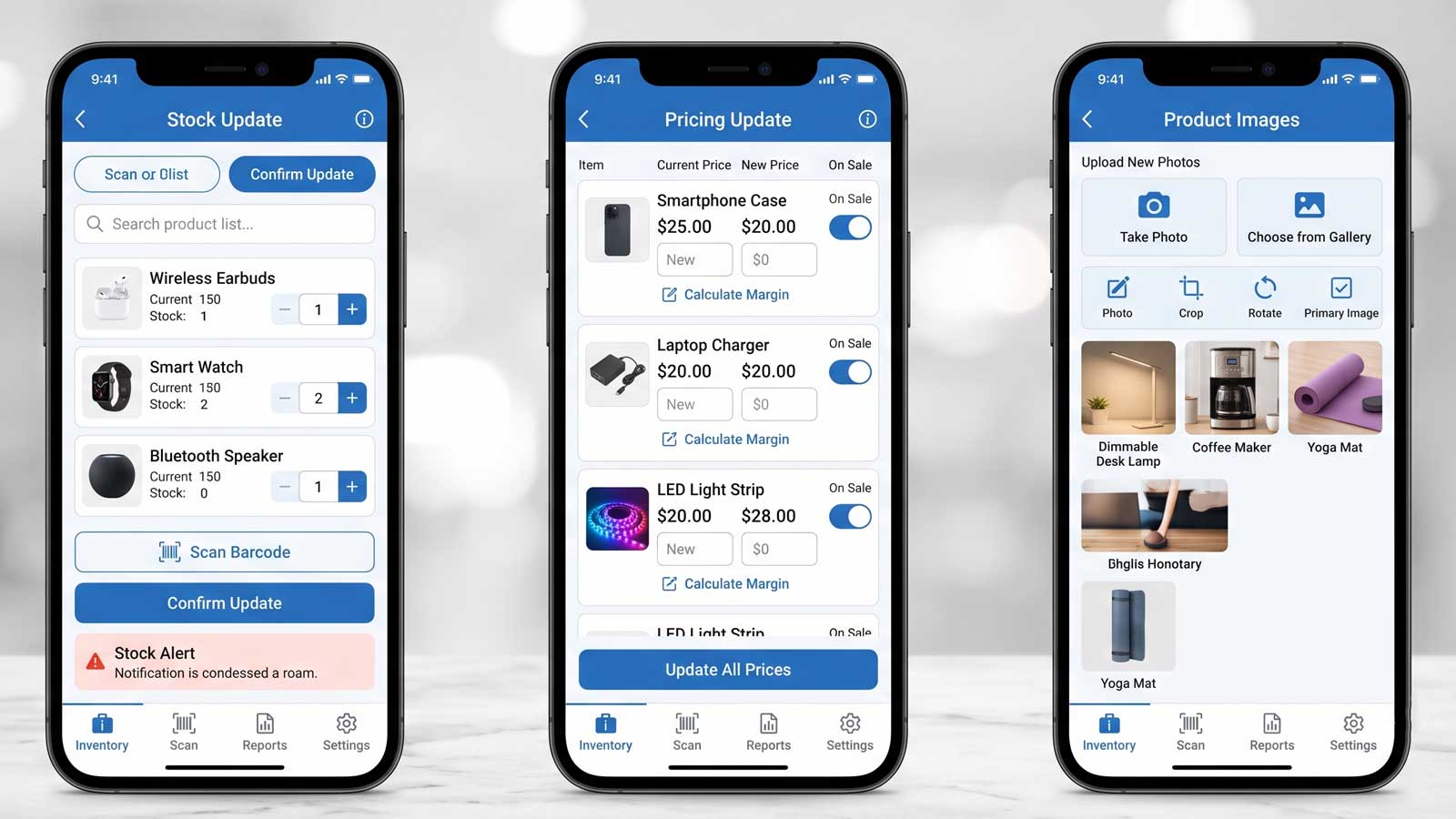
1. Update Stock From a Phone
Authorized users can search for a product, view its current quantity and update the stock value from the app. After validation, the change is synchronized with WooCommerce so that the website displays the new availability.
For variable products, the app can be designed to show individual sizes, colours, flavours, weights or other variations rather than treating the product as a single stock item. This is especially important for stores where inventory exists at variation level.
2. Change Regular and Sale Prices
The app can allow selected roles to change a regular price, configure a sale price or remove an expired promotion. Price editing should include validation, clear confirmation and permission controls because pricing mistakes can affect revenue immediately.
3. Replace Product and Variation Images
Store staff can capture or select an image from the phone, upload it through the secure application workflow and assign it to a simple product or a specific variation. The implementation should preserve image quality, use appropriate file formats and prevent oversized uploads from affecting website performance.
4. Receive New-Order Notifications
A new order can trigger a push notification or another business-approved alert. The app can then show the order number, products, quantities, payment method, customer details, delivery address and other fields the team genuinely needs.
Notifications should be designed as an operational layer, not the only record of the order. WooCommerce remains the source of truth, while the app provides faster visibility and action.
5. Manage Order Status and Fulfilment
The business can use standard WooCommerce statuses or define a tailored operational sequence. A bakery might use Received → Baking → Packed → Out for Delivery → Delivered. A wholesaler might use Confirmed → Picking → Quality Check → Dispatched → Completed.
When the mobile user changes a status, the website can be updated and related automations can run, such as internal notifications, customer emails, WhatsApp messages or delivery-partner actions, depending on the approved workflow.
6. Give Staff Only the Access They Need
A well-designed custom app should not expose every administrative capability to every user. Role-based access can allow warehouse staff to edit stock, fulfilment staff to update orders and managers to change prices, while protecting settings, payment configuration and sensitive customer data.
7. Record Changes for Accountability
For stores with multiple users, a change log can record who changed a stock value, price, image or order status and when the action occurred. This improves accountability and makes troubleshooting easier when the website data does not match the physical operation.
How the Mobile App Updates the WooCommerce Website
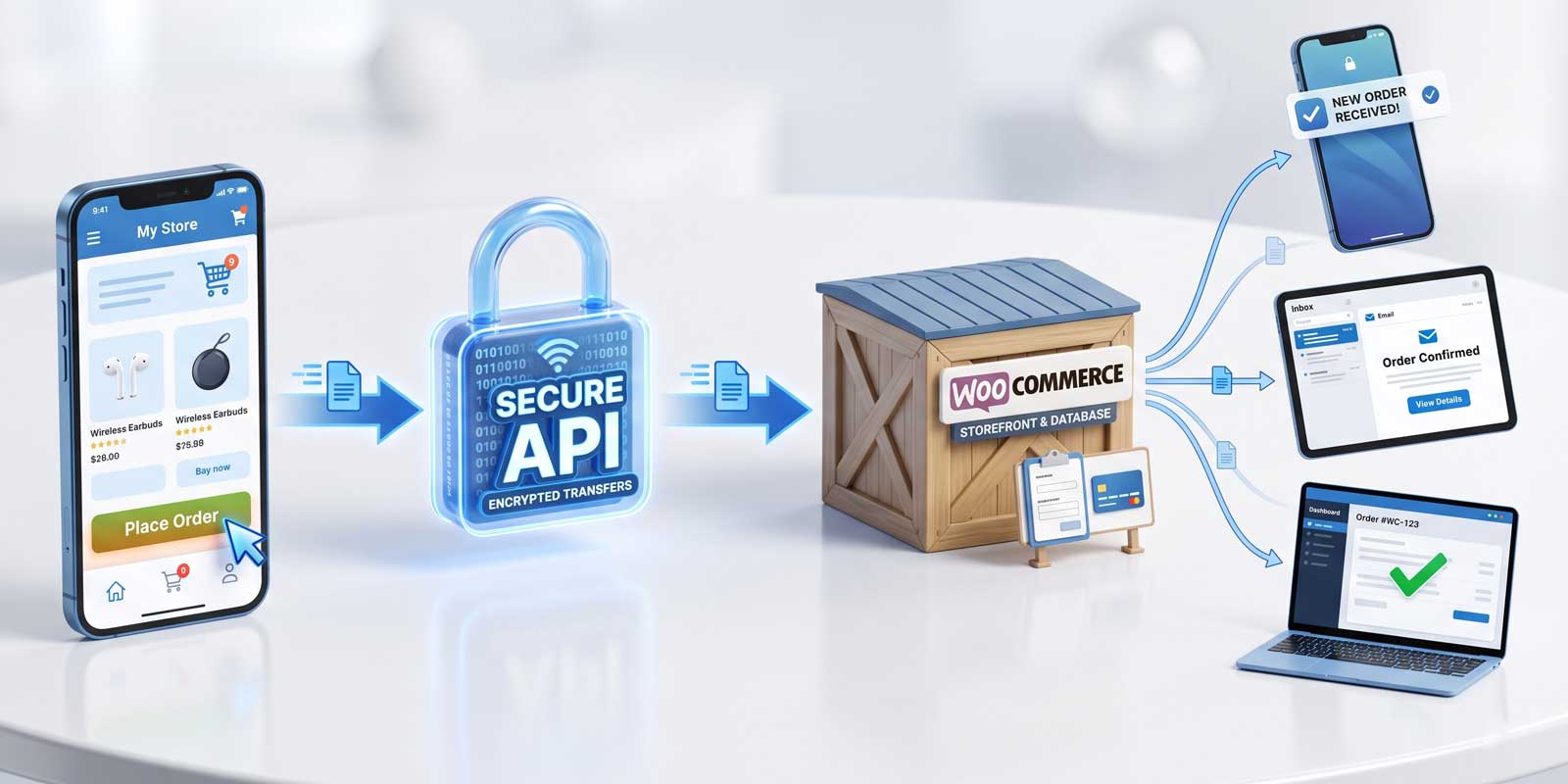
The application does not need to duplicate the entire ecommerce platform. It can communicate with the website through authenticated APIs and carefully defined endpoints. WooCommerce provides a REST API that can create, read, update and delete store data using structured requests. A custom integration can use that capability while adding business-specific validation, permissions, logging and workflow automation.
WooCommerce’s official REST API documentation explains that WooCommerce data can be created, read, updated and deleted through JSON requests. In a production app, those capabilities should be exposed selectively and securely rather than placing unrestricted credentials inside the mobile application.
A simplified workflow can look like this:
- The user signs in to the mobile app.
- The app verifies the user and the permitted action.
- The user edits stock, price, image or order status.
- The request is sent through a secure API or middleware layer.
- The website validates the request and updates WooCommerce.
- The app receives a confirmed result and refreshes the displayed data.
- A log or notification is created when required.
| Important: the app should show a confirmed server response before presenting an update as successful. A visual change in the phone interface alone is not proof that the website has been updated. |
Official WooCommerce App vs. a Custom Mobile App
| Requirement | Official/general app | Custom website-specific app |
| General product and order management | Often suitable | Can be included |
| Custom business status stages | May be limited by standard workflow | Designed around the exact workflow |
| Branded interface | Platform branding | Business branding and focused screens |
| Special staff permissions | Standard role model | Granular, task-specific access |
| Custom API, CRM, ERP or delivery integration | Depends on available integrations | Can be engineered for the website |
| Only show essential daily actions | General-purpose interface | Purpose-built interface |
| Business-specific notifications and automations | Standard capabilities | Tailored triggers, rules and actions |
The right choice depends on the business. A small store with standard requirements may be fully served by the official app. A custom app is more appropriate when operational fit, simplified staff access, branding, unique integrations or tailored fulfilment logic justify the investment.
Benefits of a Custom Ecommerce Management App
- Faster operational updates: Common actions are available in a smaller, task-focused interface.
- Reduced dashboard complexity: Staff do not need to learn the complete WordPress administration area.
- Better permission control: Users can access only the modules and actions relevant to their role.
- More consistent workflows: Statuses, validations and required steps can reflect the business process.
- Quicker response to orders: Notifications and mobile access help teams act without waiting for a desktop session.
- Fewer disconnected updates: The app writes back to the ecommerce website instead of maintaining a separate spreadsheet.
- Room for future automation: Delivery, messaging, CRM, ERP, reporting and barcode workflows can be added in phases.
Businesses That Can Benefit Most
The strongest candidates are businesses with frequent inventory changes, time-sensitive fulfilment or multiple employees who perform a narrow set of ecommerce tasks.
- Bakeries, dessert shops and food businesses managing daily availability
- Fashion, footwear and jewellery stores with product variations
- Wholesalers and distributors with warehouse stock updates
- Local retailers offering pickup or delivery
- Made-to-order businesses using custom production stages
- Multi-location businesses that need controlled mobile access
- Ecommerce teams that depend on custom plugins, APIs or automation workflows
Security and Reliability Requirements
A mobile management app can change commercially sensitive data, so security and reliability must be planned from the beginning. A polished interface is not enough.
- Do not embed permanent administrator credentials in the app. Use secure authentication, revocable tokens and a protected server-side integration layer.
- Use HTTPS for all communication. Product, order and customer data should not travel over an unencrypted connection.
- Apply least-privilege permissions. A stock user should not automatically receive pricing, customer or website-configuration access.
- Validate every update on the server. The website should reject malformed, unauthorized or conflicting requests.
- Handle poor connectivity safely. The app should distinguish pending, failed and confirmed updates to avoid false success messages.
- Log important actions. Changes to stock, price, images and order status should be traceable when multiple users are involved.
- Protect personal data. Only necessary customer information should be displayed, stored or cached on the device.
- Plan backups and rollback procedures. Operational changes should not put the store at risk of unrecoverable data loss.
A Practical Development Process
1. Workflow discovery: Identify the exact actions performed by owners, managers, warehouse staff and fulfilment staff.
2. Feature prioritization: Separate the must-have mobile actions from features that can remain in WooCommerce.
3. Access design: Define roles, permissions, authentication and sensitive-data rules.
4. Interface planning: Create fast screens for product search, stock, price, images, orders and statuses.
5. API and integration development: Connect the app to WooCommerce through secure endpoints, webhooks or middleware.
6. Real-world testing: Test variable products, image uploads, simultaneous updates, failed connections and order edge cases.
7. Launch and monitoring: Release to authorized users, review logs and refine the workflow based on actual use.
Auto Computation’s WooCommerce development services combine store architecture, custom feature development, integrations and operational workflow planning. For broader requirements, the solution may also involve custom software development and business automation.
What Determines the Cost?
A custom app is priced according to the workflow and engineering scope rather than a single fixed feature list. The main cost factors normally include:
- Android only, iOS only or both platforms
- Number of product, order and reporting screens
- Simple products versus complex variation management
- Image upload, compression and media-library rules
- Push notifications and notification providers
- Custom order statuses and customer communication
- Number of staff roles and permission levels
- Existing website quality, plugin conflicts and API readiness
- CRM, ERP, delivery, WhatsApp, payment or accounting integrations
- Audit logs, analytics, offline handling and ongoing maintenance
A sensible approach is to launch a focused first version that solves the highest-value operational problem, then add secondary features after the team has used the app in real conditions.
A Realistic Website-Specific Implementation
Auto Computation has developed a website-specific ecommerce management application concept in which changes made from a phone are synchronized with the connected website. The mobile workflow can update stock, pricing and product images, notify the team when an order is received, and allow authorized users to move an order through fulfilment stages such as received, processing, packed, dispatched and delivered.
The important distinction is that this is not a generic app distributed with one fixed workflow. Each implementation can be configured for the website’s catalogue, product types, team roles, status model, integrations and brand.
| This is where custom development creates value: the software is shaped around the operation instead of forcing the operation to fit the software. |
When Should You Build a Custom WooCommerce Mobile App?
A custom app is worth evaluating when several of the following are true:
- Your team updates stock, prices or orders many times each day.
- The full WooCommerce dashboard is too complex for operational staff.
- You need custom order or production stages.
- Different staff members need different permissions.
- Your store depends on custom product data or variation logic.
- You need notifications or integrations that match a specific process.
- Manual updates are causing delays, mistakes or duplicated work.
- A general ecommerce app does not match the workflow closely enough.
It may not be necessary when the store has a small catalogue, one administrator, infrequent updates and standard fulfilment requirements. In that situation, existing WooCommerce tools may remain the more economical choice.
Frequently Asked Questions
Yes. WooCommerce stock can be updated from a phone through the official WooCommerce app or through a custom mobile app connected to the store. A custom app is useful when the business needs a simplified interface, tailored permissions, variation-specific controls or custom workflows.
Yes. A custom app can update regular and sale prices when the authenticated user has the correct permission. Server-side validation should confirm the value before WooCommerce is changed.
Yes. The app can allow camera or gallery uploads for products and variations. Image size, file type, compression and access rules should be controlled to protect website performance and security.
It can. New orders can trigger notifications, and the app can display selected details such as items, quantities, payment method, customer information and delivery address.
Yes. The website and app can support business-specific fulfilment stages, provided the WooCommerce status logic and related customer notifications are implemented correctly.
Not for every business. The official app is a strong choice for standard management. A custom app is better when the business needs a focused branded interface, unique permissions, custom integrations or workflow-specific features.
Usually, yes. The existing website should first be reviewed for API readiness, security, plugin compatibility, product structure and custom order logic.
The solution described here is intentionally website-specific. A separate implementation can be created for another website so that each business has its own branding, permissions, catalogue logic and integrations.
Build a Mobile Workflow Around Your Ecommerce Business
A custom WooCommerce mobile app can turn repetitive store administration into a faster operational workflow. Owners and authorized staff can manage the actions that matter most from a phone while WooCommerce continues to power the website, products, orders and customer experience.
The strongest implementations are not overloaded copies of the WordPress dashboard. They are focused tools built around the business: the right product fields, the right staff permissions, the right order stages and the right integrations.
Need a custom mobile management app for your WooCommerce website?

Discuss your catalogue, staff workflow, order process and integration requirements. Auto Computation builds high-performance WooCommerce systems, custom software and automation workflows for businesses that need reliable digital operations, not just surface-level interfaces.